
Best Baby Monitor: Audio vs Video Buying Guide
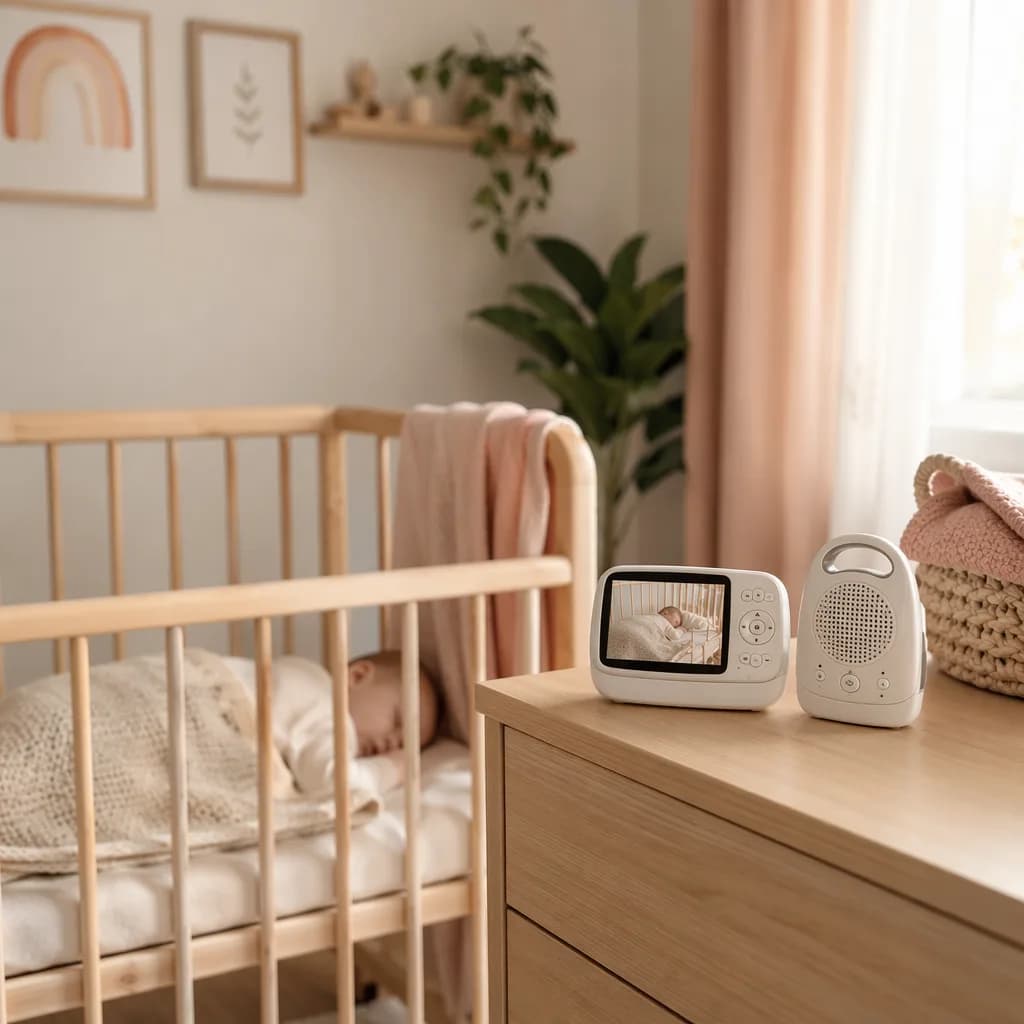
Audio vs Video Baby Monitors: Quick Comparison
When we’re choosing the best baby monitor, the first big decision is usually audio vs video. An audio baby monitor is the simpler option: it lets us hear our baby from another room, so we can pick up cries, stirring, or little sleepy sounds. A video baby monitor adds a camera, so we can both hear and see our baby on a screen or connected device.
Here’s the practical difference. With audio, we can track sound: crying, fussing, silence, or changes in noise. It’s straightforward, often easier to set up, and usually focuses on one main job, helping us know when baby needs us. With video, we get visibility too. We can check whether baby is asleep, standing in the crib, looking for a pacifier, or simply wiggling around without needing to open the door.
The trade-off is comfortingly simple: audio monitors tend to be about simplicity, while video monitors tend to be about visibility and extra features. If we want fewer settings and less to think about, audio can feel refreshingly easy. If we know we’ll feel calmer being able to glance at baby, video may be worth the added complexity and cost.
For most families, a video baby monitor is the more flexible pick because seeing baby can prevent unnecessary check-ins and offer extra reassurance. But an audio monitor can still be a lovely, practical choice, especially for smaller homes, travel, or parents who prefer minimal gear.
And while we’re picking baby essentials, we may also be choosing names we love, from Olivia, meaning & origin to Lucía, meaning & origin.
When an Audio Baby Monitor Is the Better Choice
An audio baby monitor can be the best pick when we simply need to hear the essentials: crying, stirring, or those early wake-up sounds that tell us baby needs us. If we’re not looking for constant visual check-ins, audio keeps things simple and focused.
This can be especially helpful in smaller homes, where we’re already close by and mainly want a little extra awareness from another room. Audio monitors are also a practical choice for travel, grandparents’ houses, or times when we’re trying to stay within a tighter budget. They’re usually easier to pack, quicker to set up, and less fussy when we just need something that works.
Another reason we might choose audio is that it can feel less distracting. Without a screen to glance at over and over, we may find it easier to rest, read, or get things done while still listening for baby. Many parents also like that audio-only options often feel more straightforward, with fewer settings to manage and less setup time. That simplicity can be a real comfort during busy seasons, whether we’re naming a new baby and browsing sweet choices like Olivia, meaning & origin, or settling into a new routine with a little Lucía, meaning & origin.
The main trade-off is that we won’t be able to see what’s happening. A rustle could be a baby resettling, dropping a pacifier, or fully waking up, and audio alone gives us less context. If visual reassurance matters to us, video may be a better fit.
When a Video Baby Monitor Is Worth It
A video baby monitor can be worth it when we want the extra reassurance of being able to see our baby, not just hear them. The word “picking” can mean choosing or selecting, and this is one of those parenting purchases where we’re really picking the option that fits our home, our baby, and our own comfort level.
Video monitors are especially helpful if we want to check sleep position, watch for movement, or get a quick sense of what’s happening in the nursery without opening the door. That visual check can feel useful during sleep training, when every little sound might make us wonder whether baby is settling, stirring, or fully awake.
They can also be a good fit for toddlers, shared rooms, and larger homes. If we have a toddler who chats, climbs, or drops a beloved toy after lights-out, video helps us understand what’s going on before we step in. In shared rooms, it can help us see which child is awake. And in a larger home, having eyes on the nursery can make it easier to move around while still staying connected.
Common video monitor features include night vision, two-way talk, zoom, pan, tilt, and temperature sensors. Night vision helps us see in a dark room, while two-way talk lets us offer a calm voice from another space. Zoom, pan, and tilt can make it easier to view the crib or room layout, and temperature sensors may help us keep an eye on nursery conditions.
The trade-offs are real, though. Video monitors usually cost more than audio-only options, and screens can mean shorter battery life. Some of us may also find ourselves checking the screen too often, which can add anxiety instead of easing it. Whether we’re decorating a nursery for an Olivia or settling baby Lucía for the night, the best choice is the one that supports rest for the whole family.
Key Features to Look For in the Best Baby Monitor
When we’re choosing a baby monitor, it helps to “pick” in the truest sense of the word: to choose or select the option that fits our family best. The best baby monitor is not always the one with the longest feature list, it’s the one that works reliably in our home, with our baby’s sleep space, and with the way we move through the day.
First, think about range and signal reliability. A monitor that works beautifully in one home may struggle in another if the nursery is far from the kitchen, garden, or bedroom. We’ll want to consider our layout, walls, floors, and the places we’re most likely to carry the parent unit.
Next, look at battery life and charging options. If we plan to keep the parent unit beside us during naps, overnight, or while moving around the house, a longer-lasting battery can make life easier. A simple charging dock or easy plug-in option can also help us avoid the familiar “low battery” beep at the worst moment.
For audio monitors, focus on sound clarity, volume control, and noise activation. Clear sound helps us hear the difference between a sleepy shuffle and a real cry. Adjustable volume matters too, especially at night. Noise activation can be helpful if we prefer the monitor to stay quiet until baby makes a sound.
For video models, consider camera quality, night vision, and viewing angle. A clear picture is especially useful in a dark room, and a wider viewing angle can help us see more of the cot or sleep area without constantly repositioning the camera.
We’ll also want to check portability, mounting options, and ease of setup. A monitor should feel simple to move, place, and adjust, especially if baby sometimes naps in different rooms or we travel to visit family.
Finally, consider extras carefully. Features like lullabies, humidity readings, and breathing or movement alerts may sound appealing, but we can ask whether they’ll truly support our routines or simply add more notifications to manage. Just as we might lovingly choose a name like Olivia, meaning & origin or Lucía, meaning & origin, we can choose a monitor that feels calm, practical, and right for our baby.
Wi-Fi vs Non-Wi-Fi Baby Monitors
When we’re choosing between Wi-Fi and non-Wi-Fi baby monitors, the biggest difference is how we “pick” our view or sound feed, whether through an app or through a dedicated parent unit.
A Wi-Fi baby monitor connects through your home internet and usually lets us check in from a phone or tablet app. That can feel wonderfully convenient if one parent is at work, a grandparent is helping, or we want the option to peek in from another room without carrying an extra screen. For families who love remote access, this is often the main reason to choose Wi-Fi.
A non-Wi-Fi baby monitor works differently. Instead of using an app, it typically comes with its own parent unit and relies on a local signal between the camera or audio monitor and that receiver. We don’t need to open an app, sign in, or depend on internet access in the same way. For many parents, that simplicity is the appeal.
Here’s the gentle trade-off: Wi-Fi monitors tend to win on convenience and remote viewing, while non-Wi-Fi monitors often feel simpler and more private because they are not centered around app-based access. Wi-Fi models can be more flexible, but they also depend on the internet connection to work as expected. Non-Wi-Fi models are usually more straightforward for everyday home monitoring, especially if we mainly want to hear or see baby from nearby.
So if we’re checking in on little Olivia, meaning & origin while away from home, Wi-Fi may be the better fit. If we’re keeping things simple for bedtime with Lucía, meaning & origin, a non-Wi-Fi monitor may feel calmer, more direct, and easier to manage.
Safety, Privacy, and Placement Tips
When we’re choosing between an audio and video baby monitor, it helps to think beyond features and picture quality. The safest setup is the one that supports our routines without adding new risks in the sleep space.
First, let’s keep cords at least three feet from the crib and fully out of reach. Whether we’re using an audio unit, a video camera, or a charging cable nearby, cords should be routed behind furniture or secured so little hands can’t grab them. We’ll also want to mount cameras securely and avoid placing any monitor, camera, or device inside the crib itself.
For Wi‑Fi video monitors, privacy settings matter too. We can choose a strong, unique password, turn on two-factor authentication when it’s available, and keep firmware updated so the device has the latest protections. It’s one of those small setup steps that can make the monitor feel more reassuring day to day.
It’s also worth remembering what a consumer baby monitor is, and isn’t. Unless a medical monitor has been prescribed, we shouldn’t rely on a standard audio or video monitor as a medical device. It can help us hear or see our baby, but it doesn’t replace safe sleep practices or professional medical guidance.
And that brings us back to the basics: a firm mattress, placing baby on their back for sleep, and keeping the crib empty. The monitor is there to support us, not to take the place of a safe sleep setup.
As we compare options, we can think of it like choosing a name such as Olivia, meaning & origin or Lucía, meaning & origin: the “best” pick is the one that fits our family, our space, and our peace of mind.
How Much Should You Spend on a Baby Monitor?
When we’re choosing a baby monitor, it helps to think in tiers rather than chasing the “best” one overall. A budget monitor is usually the simplest choice: often audio-focused, with fewer extras, and best for smaller homes or when baby sleeps close by. A mid-range option is where many families land, especially if we want video, dependable everyday performance, and a clearer view at night. Premium monitors tend to add more convenience features and a more polished experience, which can be lovely, but not always necessary.
The features most worth paying more for are the ones that help us feel calm and confident: reliable range, clear sound, and clear night vision if we’re choosing video. If the monitor cuts out between rooms or the image is too hard to see after bedtime, even a lower price can start to feel frustrating.
To save money, we can often skip features that sound exciting but won’t change our daily routine. If we don’t need lots of add-ons, extra display options, or advanced settings, a simpler monitor may do the job beautifully.
The right spend depends on our home size, sleep setup, and how long we expect to use the monitor. A compact apartment may not need the same range as a multi-level house. And if we’re setting up a nursery with a name we love, maybe inspired by Olivia, meaning & origin or Lucía, meaning & origin, we can choose the monitor that supports our real life, not just the longest feature list.
How to Choose the Best Baby Monitor for Your Family
When we’re choosing the best baby monitor, the first question is simple: do we need audio only, or would video visibility help us feel more settled? An audio monitor can be enough if we mainly want to hear waking, crying, or stirring. A video monitor may feel more reassuring if we want to peek in without opening the door, check sleep position, or see whether baby is truly awake or just making little sleep noises.
Next, we can think about how the monitor will fit our actual home and routine. A smaller home may not need the same range as a larger one. If we have more than one child, we may want a monitor that supports multiple rooms or cameras. If we travel often, portability and easy setup may matter more than extra features. And if grandparents, babysitters, or other caregivers will use it, simple controls can make everyone feel more confident.
We’ll also want to decide between Wi-Fi and non-Wi-Fi. A Wi-Fi monitor can be helpful if we want remote access, such as checking in while another caregiver is home. A non-Wi-Fi monitor may appeal if we prefer a more contained setup focused on in-home use and privacy.
A quick first-time parent checklist:
- Do we want to hear baby, see baby, or both?
- How far will the monitor need to reach in our home?
- Will we monitor one child or more than one?
- Do we need it to travel easily?
- Will other caregivers find it easy to use?
- Do we want remote access, or only in-home monitoring?
- Which features will we truly use every day?
Just as we might take our time choosing a meaningful name like Olivia, meaning & origin or Lucía, meaning & origin, we can choose a monitor with care, too. In the end, the best pick is usually the simplest reliable monitor that meets our real needs.
Frequently Asked Questions
Is an audio or video baby monitor better?
A video monitor is better if you want visual reassurance, while an audio monitor is enough if you only need to hear your baby wake or cry.
Do I really need a video baby monitor?
No. Many families do fine with audio only, but video can help with sleep training, larger homes, and checking your baby without entering the room.
Are Wi-Fi baby monitors safe?
Wi-Fi baby monitors can be safe if you use a strong password, enable two-factor authentication, update firmware, and secure your home network.
Where should I place a baby monitor?
Place it where you can hear or see your baby clearly, with all cords at least three feet from the crib and completely out of reach.
What features matter most in a baby monitor?
The most important features are reliable range, clear sound, strong battery life, easy setup, and secure connectivity.
Frequently asked questions
Is an audio or video baby monitor better?
When is an audio baby monitor enough?
When is a video baby monitor worth it?
What is the main downside of an audio baby monitor?
References
Sources
External research this article was grounded in.
- PICKING Definition & Meaning - Merriam-Webstermerriam-webster.com
- PICKING Definition & Meaning | Dictionary.comdictionary.com
- Best Buy International: Select your Country - Best Buybestbuy.com
Related reading
More from the journal → gear
gearBaby Bottle Sizes and Nipples: What Fits Your Baby
A calm guide to baby bottle sizes, nipple flow, and what to try first so feeds feel easier from newborn days through bigger bottles.
11 min readJul 29, 2026 gear
gearDiaper Bag Checklist for Newborns and Older Babies
Pack a calmer diaper bag with age-by-age newborn and older baby checklists, diaper math, outfit extras, feeding supplies, and parent must-haves.
13 min readJul 3, 2026- gear
Baby Carrier Buying Guide for New Parents
Not sure which baby carrier to buy? Start with real life: newborn naps, quick errands, longer walks, caregiver fit, safety, and easy cleaning.
14 min readJul 3, 2026