
Baby Monitor Features Worth Checking Before You Buy
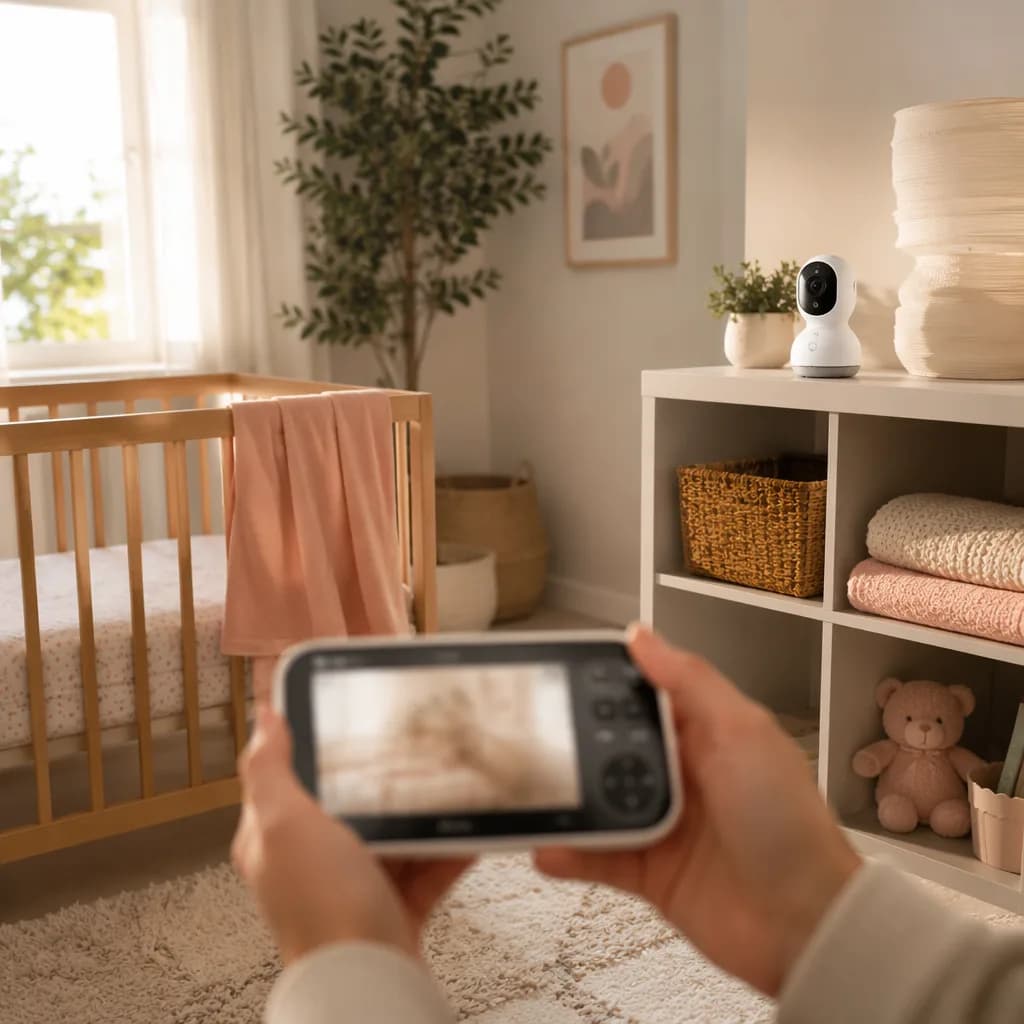
Start with what you need the monitor to do
The best baby monitor isn’t the one with the longest feature list. It’s the one that fits your home, your baby’s sleep setup, and your own comfort level at 2 a.m.
Start with the real job you need it to do. If you have a newborn sleeping in a bassinet nearby, clear audio may matter more than a long list of smart alerts. If your older baby is in a crib down the hall, a good video feed with reliable night vision can help you check whether they’re settled, stuck in a corner, or just chatting to themselves. Twins may need a setup that supports more than one camera. And if you’re working downstairs during naps, range, notifications, and a dependable connection become much more important.
Home layout matters, too. In a small apartment, you may care most about crisp sound and low light video because you’re never very far away. In a two-story house, stronger range and better alerts can make the monitor feel more useful, especially if the nursery is upstairs and you’re folding laundry or making lunch below.
It helps to sort features into four buckets: safety, signal quality, convenience, and privacy. Safety includes camera placement, cords, and any claims around breathing or vital signs. Signal quality covers range, WiFi reliability, audio, and video clarity. Convenience includes two-way talk, pan and tilt, battery life, and easy menus. Privacy matters most with internet-connected monitors.
We’ll walk through those choices in this Baby Monitor Buying Guide for Safer Sleep, the same way we’d pack thoughtfully using Diaper Bag Essentials for Short Trips and Full Days: choose what you’ll actually use, skip what only adds stress.
Video quality that actually helps at night
Daytime video can look gorgeous in product photos, but nighttime clarity is the feature you’ll probably use the most. Most check-ins happen in a dark room, half-asleep, with one eye open. You need a picture that answers the real question: do I need to go in?
Look closely at camera resolution, screen size, night vision, zoom, pan, tilt, and viewing angle. Modern video monitors often offer full-color HD daytime video, with 1080p or higher on many newer models, while night vision usually stays grayscale for accuracy. That’s normal. What matters is whether the image is clear enough to show details in low light.
A helpful monitor should let you tell the difference between your baby stirring, a leg stuck in the crib slats, and a fully awake baby who’s ready for you. That’s the kind of clarity that saves you from opening the door too soon and accidentally turning a sleepy wiggle into a 2 a.m. party.
Pan, tilt, and zoom are worth checking if your baby moves around the crib or if the camera won’t sit directly overhead. A wide viewing angle, often listed around 110-130 degrees on some models, can reduce blind spots and make the whole crib easier to see. If you want a broader safety checklist, our Baby Monitor Buying Guide for Safer Sleep walks through the bigger setup pieces too.
For twins, or for one baby and one toddler, look for split-screen viewing and camera expandability. It’s much easier than juggling two systems, especially once you’re also packing for outings with diaper bag essentials, washing tiny pajamas with care using tips on baby laundry, and eventually finding the right baby cups for the next stage.
Sound quality and alerts you can trust
Video is reassuring, but audio is still the feature you’ll probably rely on most. You may not stare at the screen while folding tiny pajamas, packing from your diaper bag essentials list, or rinsing bottles. You need to hear what’s happening without keeping one eye on the monitor all night.
Look for clear audio with volume control, adjustable sound sensitivity, and alerts you’ll actually notice. Visual sound bars are helpful when the room is loud or you’ve turned the volume down. Vibration alerts can be useful at night, especially if one parent is trying to sleep while the other is on baby duty.
Sensitivity matters more than it sounds. A monitor that’s too sensitive can jolt you awake for every grunt, rustle, or sleepy squeak. One that isn’t sensitive enough may miss the early build-up before a full cry. The sweet spot is a monitor that lets you adjust motion and sound detection so it fits your baby, your room, and your tolerance for false alarms.
Background noise filtering can also make nights feel calmer. A fan, humidifier, or white noise machine shouldn’t drown out your baby’s cry.
Two-way talk is another feature to consider. It can be genuinely helpful with toddlers: “Lie back down, sweetheart. I’m right here.” For some babies, though, hearing your voice without seeing you may make them more upset. If you’re still comparing core features, our Baby Monitor Buying Guide for Safer Sleep is a good next stop.
Range, connection type, and signal reliability
A baby monitor can have a gorgeous picture and still drive you nuts if the signal drops every time you walk to the laundry room.
There are three basic connection types. Non-Wi-Fi monitors use a local radio connection and usually come with a separate parent screen. They don’t need the internet, which many parents like for privacy and simplicity. Wi-Fi monitors send the feed through your home network to an app, so you can check in from work, during date night, or while a grandparent is babysitting. Hybrid monitors give you both options: a local parent unit for everyday use, plus Wi-Fi when you want remote access.
Range can be tricky. The number on the box is often based on open-field range, meaning a clear space without walls, floors, appliances, or other electronics in the way. Real houses are messier. A nursery upstairs, thick plaster walls, a basement family room, kitchen appliances, and even nearby routers can weaken the signal. If you want to sit in the backyard during nap time, don’t assume the advertised range will match your patio reality.
Think about your layout before you buy. If the nursery is one floor above your bedroom, a strong non-Wi-Fi monitor with a dedicated parent unit may be enough. If you have thick walls or want to check in while traveling, Wi-Fi may make more sense, as long as your internet is steady and the app works well on your phone. For families who want both, a hybrid model can be a nice middle ground.
Look for connection alerts, too. Out-of-range warnings and low-signal indicators are small features that matter at 2 a.m.
If you’re comparing monitor basics, our Baby Monitor Buying Guide for Safer Sleep pairs well with practical prep lists like Diaper Bag Essentials for Short Trips and Full Days.
Battery life and charging that fit real nights
Battery life sounds simple until you’re living with it at 2 a.m.
For non-WiFi monitors, look for a rechargeable parent unit with a battery that fits your actual routine. The research points to 8-12 hours as a good range to look for, but real life can feel different from the number on the box. If the screen stays on all evening, brightness is turned up, or you’re checking the video feed every few minutes, that battery can drain faster than expected.
Screen-off audio mode can help a lot. You still hear baby, but the display isn’t glowing and sipping power the whole time. Standby mode is similar in spirit: less screen time, more battery left for later. Charging docks are handy because they give the parent unit a “home,” which matters when the house is dark and you’re half-awake. USB-C charging can also be convenient if your household already has those cords around, especially for travel days when you’re packing bottles, wipes, and the rest of your diaper bag essentials.
Here’s the annoying version: a monitor lasts through an evening on the couch, then dies right before the 5 a.m. feed. No thank you.
If you’re comparing options, our Baby Monitor Buying Guide for Safer Sleep is a good next stop. For backup, consider keeping the parent unit plugged in overnight or choosing a model with a replaceable battery. Tiny habits help, just like setting out clean pajamas after you wash baby clothes or keeping a favorite cup ready from your baby cup lineup. And if you landed here while browsing names like Tanmay Suresh Upadhyay, welcome. Baby prep has a funny way of branching out.
Safety and privacy features parents should check
If you’re choosing a Wi-Fi baby monitor, privacy deserves a real spot on your checklist. Look for encryption, two-factor authentication, strong password requirements, clear app permissions, and regular firmware updates. A monitor app doesn’t need access to everything on your phone, so it’s reasonable to check what it asks for before you tap allow.
A strong password matters here. So does changing the default login right away.
Non-Wi-Fi monitors can reduce internet-related worries because the video feed stays local instead of going through your home network or an app. That can feel reassuring, especially if grandparents or a babysitter will use the monitor without downloading anything. Still, you’ll want a reliable private signal, clear audio, and a steady connection that works across your home.
Physical setup is just as important as digital safety. Keep cords at least 3 feet from the crib, mount cameras securely, and don’t place monitors inside the crib. If you’re already checking nursery basics, it can help to pair this with other practical baby prep, like sorting laundry with How to Wash Baby Clothes Without Irritating Skin or packing backup layers from Diaper Bag Essentials for Short Trips and Full Days.
Temperature sensors can be useful, especially if you’ve ever wondered at 2 a.m. whether the nursery feels chilly. Treat them as a helpful heads-up, not a replacement for safe sleep guidance or a proper room thermometer if you’re worried about accuracy.
Movement, breathing, and sleep tracking features are optional. Some parents find them calming. Others find every alert makes them more anxious. That’s okay. The right choice is the one that helps you rest, not one that keeps you glued to a screen. For a broader feature checklist, see our Baby Monitor Buying Guide for Safer Sleep.
Smart extras that are useful, and ones you can skip
Baby monitors can come with a long menu of extras now: lullabies, white noise, a night light, feeding timers, cry detection, sleep analytics, room humidity readings, cloud recording, and app sharing for another caregiver. Some are genuinely helpful. Some just give you one more thing to check at 2 a.m.
The day-to-day winners are usually the simple ones. White noise controls can help if you’re already using steady sound at bedtime. A dim night light is handy for diaper changes because you can see the snaps without fully waking the baby. Clear two-way talk can also be useful, especially if you’re asking your partner to bring wipes or you’re trying a quick verbal soothe before going in.
Other extras depend on your personality and your baby. Cry alerts and motion notifications can be helpful if you’re in the shower or outside in the yard, but they can also make some parents jump at every ping. Long sleep reports and detailed analytics sound impressive, but if all you really want is a quick video check, they may not add much. The same goes for cloud recording. Some families love having saved clips. Others never open them.
Watch the ongoing cost, too. A monitor that looks cheaper upfront may cost more over time if cloud storage, advanced alerts, app sharing, or sleep reports require a subscription.
A good rule: choose features that reduce checking and worry, not ones that keep you staring at the app all night. For the bigger safety and setup picture, see our Baby Monitor Buying Guide for Safer Sleep. And if you’re stocking the nursery and changing station, our Diaper Bag Essentials for Short Trips and Full Days can help keep the everyday stuff simple, too.
A simple baby monitor buying checklist
Before you compare models, write down what you actually need the monitor to do in your home. A quick checklist helps cut through the extras.
Start here:
- Video or audio only: Do you want to see the crib, or is sound enough?
- Wi-Fi or non-Wi-Fi: Wi-Fi monitors can let you check in from your phone when you’re away. Non-Wi-Fi monitors keep the feed local and don’t depend on internet.
- Range: For non-Wi-Fi models, look at whether the range will cover your bedroom, kitchen, porch, or yard.
- Night vision: Most modern video monitors use infrared night vision, usually in grayscale.
- Battery life: A rechargeable parent unit is helpful if you’ll carry it from room to room.
- Alerts: Think about sound, motion, cry, and temperature alerts, and whether you can adjust sensitivity.
- Camera movement: Pan, tilt, and zoom can matter if your baby moves around the crib.
- Privacy: For Wi-Fi monitors, check password options, app access, and security settings.
- Budget: Consumer Reports found that higher price doesn’t always mean better performance.
Pick your top three must-have features before looking at brands. Maybe that’s local video, strong night vision, and a parent unit with good battery life. Maybe it’s remote phone access, motion alerts, and easy setup. Keep that list beside you as you compare options, just like you might do for diaper bag essentials or feeding gear like baby cups.
Read real parent reviews closely. Look for mentions of signal dropouts, app glitches, battery complaints, and night vision quality. Then check the return policy and warranty, because a monitor can behave differently once it’s in your actual nursery, with your walls, Wi-Fi, lighting, and crib placement.
If you want a deeper safety-focused look, our baby monitor buying guide is a good next stop. Then choose the monitor that helps you respond when needed and sleep when you can.
Frequently Asked Questions
What are the most important baby monitor features?
The most important features are clear audio, reliable range, good night vision, strong battery life, useful alerts, and safe, private connectivity.
How do I choose a baby monitor for my home?
Match the monitor to your layout, internet quality, and habits. A two-story house may need stronger range, while a small apartment may only need clear audio and night vision.
Is a video baby monitor better than an audio monitor?
A video baby monitor lets you check if your baby is awake, stuck, or just noisy. An audio monitor can still work well if you mainly need to hear crying.
Are Wi-Fi baby monitors safe to use?
Wi-Fi monitors can be safe if they use encryption, strong passwords, two-factor authentication, and regular updates. Non-Wi-Fi models avoid app and internet risks.
Do I need a baby monitor with breathing or movement tracking?
Most families do not need it. These features may reassure some parents, but they can also create extra worry and should not replace safe sleep practices.
Frequently asked questions
What baby monitor features matter most for a newborn?
Do I need a WiFi baby monitor?
Is night vision important on a baby monitor?
What should I check for baby monitor safety?
References
Sources
External research this article was grounded in.
- The Ultimate Baby Monitor Buying Guide - Mommyhood101mommyhood101.com
- Best Baby Monitor Buying Guide - Consumer Reportsconsumerreports.org
- Complete Guide to Baby Monitors (2026): Types, Features, Safety & Buying Tips 2026thefamilyadvisors.com
Related reading
More from the journal → baby-products
Newborn Essentials Checklist: Buy This, Skip That
A calm newborn essentials checklist for what to buy now, what can wait, and what to skip so you can prep for baby without overbuying.
20 min readAug 3, 2026- baby-products
Car Seat Safety for Newborns: Fit, Position, Mistakes
Newborn car seat safety starts with fit: rear-facing straps, a snug harness, correct recline, and no bulky coats or extra padding.
12 min readAug 3, 2026 - baby-products
Babywearing for Beginners: Fit, Wraps, and Tips
New to babywearing? Start with simple fit checks, carrier types, and calm tips that help you carry baby safely and comfortably.
12 min readAug 3, 2026